

Earbuds and charging case inner Nano-coating makes it possible to waterproof for 1 meters deep for 30 minutes. Waterproof and sweatproof latest technology can effectively prevent from the damage of the splash by sweat and raindrops.
About this item
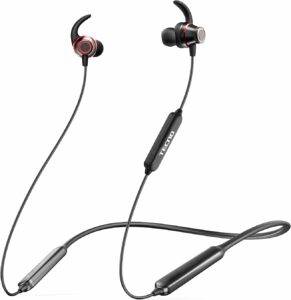
【500 HRS Standby Time & 38 HRS Play Time】: With in-built 300mAh battery, TECNO B1 Bluetooth Wireless Earbuds with Microphone has great battery life with 500 hrs standby time and 38 hrs playtime. Boost Charging Technology enable fully charged in less than 2 hours. Sports headphones bluetooth let you enjoy wonderful music when traveling and doing sports.
【Amazing Sound Quality Stereo】: 13.6 MM Customized dynamic drivers ensure bluetooth wireless headphones amazing sound quality for extraordinary clarity and detail. Environment noise reduction design allows you surfing music or making phone call without any disturb.
【Bluetooth 5.0 Technology】: TECNO B1 Wireless earbuds Headphone adopt the latest Bluetooth 5.0 technology,which delivers high-fidelity audio for a more stable connection and stronger signal transmission. Compatible with both iOS and Android devices, tablets, laptops, TV,etc.
【Comfort and Secure Fit Design】: TECNO B1 Bluetooth Headphones design for delivering most comfortable wearing experience. 2 pairs of ear tips and 3 pairs of secure-fit ear hooks included in box for replacement.
【IPX5 Waterproof and Magnetic Design 】: TECNO B1 Bluetooth Headphones adapts internal nano-coating protective layer, IPX5 Waterproof Rate withstand all weather condition. Built-in Magnet design makes it easy to carry everywhere without worry.

♬【UPGRADED BLUETOOTH 5.0 CHIPS, AUTO PAIR TECHNOLOGY】
Compare with other Bluetooth wireless earbuds with Bluetooth 4.0/4.1/4.2, Aimus i11 wireless earbuds with Bluetooth 5.0 chips ensure MORE STABLE connectivity & MORE SMOOTH transmission(up to 49 feets) & SMARTER pairing method with lower consumption. In your first usage, please touch 2 wireless earbuds for 2-3s to power on and pair with your Bluetooth device. It will automatically pair with the one paired before in the future use. ♬【BUILT-IN BINAURAL MICROPHONE, LONG LAST PLAYBACK TIME】Adopt sonar technology to achieve dual stereo mic HD calls through pickup resonance. Enjoy the phone calling experience as Apple wireless earbuds. Our earphones has 3-4 hours playback time, and it can be powered extra 4 times by charging case, providing up to 300 songs& 10 movies playback totally (Varies from the volume & song/movie duration & phone models).♬【INTELLIGENT TOUCH CONTROL, PORTABLE CHARGING CASE】Double touch the different wireless earbuds for volume(L:+, R:-) & touch the different wireless earbuds for 3s song switching(L: next track, R: last track) & Play/Pause by single touch & Quick touch 3 Times for siri wake up. About 30 minutes quick charge, get 3-4 HOURs playback time through the charging case each time. And the charging case can be charged 4 times for 2 wireless earbuds & 8-9 times for 1 earbud. ♬【IPX5 WATERPROOF, SECURE FIT】Nano coating effectively prevents damages from sweat, light rain, and accidental splash. Besides, we offer 3 different sizes of extra eartips to meet different customers’ demands. Professional design based on ergonomics for keeping your ears comfortable and they’ll not slip out even while you are running, biking, training, jogging, hiking, or exercising. ♬【12 MONTHS WARRANTY & 24 HOURS Customer Services】Aimus provides 12 MONTHS warranty free and 30-days money back from the dates of purchase including any Amazon fulfilled orders which are over the return time. Even after 12 months, replacement still can be provided if reasonable. Any questions, problems, issues about the product, please do not hesitate to contact us via email or buyer central. We will reply you within 24 Hours.
Compare with other Bluetooth wireless earbuds with Bluetooth 4.0/4.1/4.2, Aimus i11 wireless earbuds with Bluetooth 5.0 chips ensure MORE STABLE connectivity & MORE SMOOTH transmission(up to 49 feets) & SMARTER pairing method with lower consumption. In your first usage, please touch 2 wireless earbuds for 2-3s to power on and pair with your Bluetooth device. It will automatically pair with the one paired before in the future use. ♬【BUILT-IN BINAURAL MICROPHONE, LONG LAST PLAYBACK TIME】Adopt sonar technology to achieve dual stereo mic HD calls through pickup resonance. Enjoy the phone calling experience as Apple wireless earbuds. Our earphones has 3-4 hours playback time, and it can be powered extra 4 times by charging case, providing up to 300 songs& 10 movies playback totally (Varies from the volume & song/movie duration & phone models).♬【INTELLIGENT TOUCH CONTROL, PORTABLE CHARGING CASE】Double touch the different wireless earbuds for volume(L:+, R:-) & touch the different wireless earbuds for 3s song switching(L: next track, R: last track) & Play/Pause by single touch & Quick touch 3 Times for siri wake up. About 30 minutes quick charge, get 3-4 HOURs playback time through the charging case each time. And the charging case can be charged 4 times for 2 wireless earbuds & 8-9 times for 1 earbud. ♬【IPX5 WATERPROOF, SECURE FIT】Nano coating effectively prevents damages from sweat, light rain, and accidental splash. Besides, we offer 3 different sizes of extra eartips to meet different customers’ demands. Professional design based on ergonomics for keeping your ears comfortable and they’ll not slip out even while you are running, biking, training, jogging, hiking, or exercising. ♬【12 MONTHS WARRANTY & 24 HOURS Customer Services】Aimus provides 12 MONTHS warranty free and 30-days money back from the dates of purchase including any Amazon fulfilled orders which are over the return time. Even after 12 months, replacement still can be provided if reasonable. Any questions, problems, issues about the product, please do not hesitate to contact us via email or buyer central. We will reply you within 24 Hours.


About this item
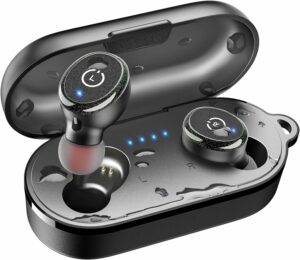
[ORIGX Acoustic wireless earbuds Technology] The professional ORIGX 2.0 technology further optimises the performance of vocals and midrange, delivering more distinctive immersive and realistic sound through clear layers and extremely rich vocal music details.
[Bluetooth 5.3] Features with the advanced Bluetooth 5.3 technology, TOZO T10 Wireless Earbuds support HSP HFP A2DP AVRCP, which provides instant pairing and stable transmission without interruptions.
[One Step pairing] Simply take 2 headsets out from the charging case, and they will connect each other automatically and then only one step easily enter mobile phone Bluetooth setting to pair the wireless earbuds.
[IPX8 Waterproof] Wireless Earbuds and charging case inner Nano-coating makes it possible to waterproof for 1 meters deep for 30 minutes. Waterproof and sweatproof latest technology can effectively prevent from the damage of the splash by sweat and raindrops.
[Charge on the Go] The TOZO T10 Wireless Earbuds offer a playtime of over 10 hours on a single charge, with a total playtime of 45 hours with the charging case. The rechargeable case can be fully charged in just 1.5 hours with a fast-charging USB-C cable or less than 2 hours via a wireless charger.
★INCREDIBLE SOUND QUALITY:
Our wireless bluetooth headphones are designed to provide you with a high-quality pair of wireless earbuds that offers crystal clear audio using the latest bluetooth technology so that you can enjoy your music the right way! This in-ear noise cancelling stereo headset eliminates any background sounds so that you can attend calls and listen to music anytime and anywhere you want! ★CHARGE ON THE GO: These noise-canceling Bluetooth wireless earbuds come with a Portable Charging Case that let you keep these wireless headphones charged at all times. Couple that with the large battery life and you’ve got yourself a true wireless headphone that you never have to worry about running out of power making these perfect for anyone that wants to take calls or enjoy music when on the go without worrying about running out of battery. ★UNIVERSAL COMPATIBILITY: Our wireless headphone buds easily pair up with any device that supports Bluetooth 4.0 or above to provide crystal clear audio. It’s compatible with most smartphones including With Galaxy S9, S8, iPhone 11/X/8/7/6S/6 along with many other popular smartphone brands like OnePlus, Moto, HTC, Huawei, and even laptops, tablets, iPads and more! ★DESIGNED FOR COMFORT: Hate having to wear earbuds that irritate your ears or causing discomfort? We know how that feels which is why we use an ergonomic in-ear design for our Bluetooth headphone buds. These stay comfortably nestled inside your ear without falling out or causing any irritation making these perfect for use when playing sports, exercise and casual wear. ★1 YEAR WARRANTY: We make customer satisfaction our top priority which is why we use the highest quality materials along with a user-friendly design to provide unrivaled audio quality while making sure you stay comfortable at all times. Each purchase is backed by our 1 Year Customer Satisfaction Warranty so that you can order today knowing your purchase is risk-free.
Our wireless bluetooth headphones are designed to provide you with a high-quality pair of wireless earbuds that offers crystal clear audio using the latest bluetooth technology so that you can enjoy your music the right way! This in-ear noise cancelling stereo headset eliminates any background sounds so that you can attend calls and listen to music anytime and anywhere you want! ★CHARGE ON THE GO: These noise-canceling Bluetooth wireless earbuds come with a Portable Charging Case that let you keep these wireless headphones charged at all times. Couple that with the large battery life and you’ve got yourself a true wireless headphone that you never have to worry about running out of power making these perfect for anyone that wants to take calls or enjoy music when on the go without worrying about running out of battery. ★UNIVERSAL COMPATIBILITY: Our wireless headphone buds easily pair up with any device that supports Bluetooth 4.0 or above to provide crystal clear audio. It’s compatible with most smartphones including With Galaxy S9, S8, iPhone 11/X/8/7/6S/6 along with many other popular smartphone brands like OnePlus, Moto, HTC, Huawei, and even laptops, tablets, iPads and more! ★DESIGNED FOR COMFORT: Hate having to wear earbuds that irritate your ears or causing discomfort? We know how that feels which is why we use an ergonomic in-ear design for our Bluetooth headphone buds. These stay comfortably nestled inside your ear without falling out or causing any irritation making these perfect for use when playing sports, exercise and casual wear. ★1 YEAR WARRANTY: We make customer satisfaction our top priority which is why we use the highest quality materials along with a user-friendly design to provide unrivaled audio quality while making sure you stay comfortable at all times. Each purchase is backed by our 1 Year Customer Satisfaction Warranty so that you can order today knowing your purchase is risk-free.
About this item
Bluetooth wireless technology
Product Note : If the size of the earbud tips does not match the size of your ear canals or the headset is not worn properly in your ears, you may not obtain the correct sound qualities or call performance. Change the earbud tips to ones that fit more snugly in your ears
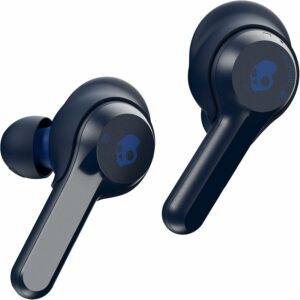
Removable stability, ear gels for secure fit
Up to 16 hours of total battery life
IP55 sweat, water, and dust resistant
Call, track, and volume touch controls
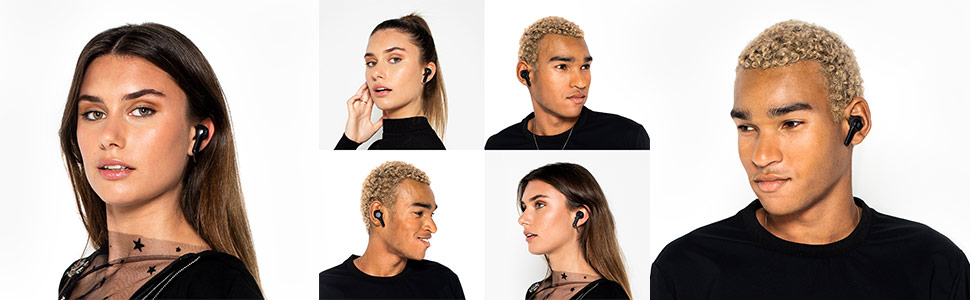
Connected and free Now you can have the truly wireless freedom you want in a look you can confidently rock.
Indy lets you move seamlessly through your day with a secure fit and premium sound quality. The essentials perfected the jump to truly wireless audio has never been easier. From quickly pairing to your phone, to 16 hours of battery life, to a pocket-sized portable charging case, Indy makes living life without wires The simple experience it’s meant to be. No wires, no worries with a sleek, truly wireless design, Indy keeps you connected to your music and content without the hassle of any wires whatsoever. No tangled cables. No awkward controls. No worries. Fearless use promise living without wires is meant to be a liberating experience. So use Indy when and where you want—fearlessly. If you ever do lose or damage any part of your earbuds, we’ll replace it for a discount. Bluetooth wireless technology. Removable stability ear gels for secure fit. Up to 16 hours of total battery life. IP55 sweat, water, and dust resistant. Call, track, and volume touch controls.
Indy lets you move seamlessly through your day with a secure fit and premium sound quality. The essentials perfected the jump to truly wireless audio has never been easier. From quickly pairing to your phone, to 16 hours of battery life, to a pocket-sized portable charging case, Indy makes living life without wires The simple experience it’s meant to be. No wires, no worries with a sleek, truly wireless design, Indy keeps you connected to your music and content without the hassle of any wires whatsoever. No tangled cables. No awkward controls. No worries. Fearless use promise living without wires is meant to be a liberating experience. So use Indy when and where you want—fearlessly. If you ever do lose or damage any part of your earbuds, we’ll replace it for a discount. Bluetooth wireless technology. Removable stability ear gels for secure fit. Up to 16 hours of total battery life. IP55 sweat, water, and dust resistant. Call, track, and volume touch controls.
TRUE WIRELESS AND ULTRA-LIGHT:
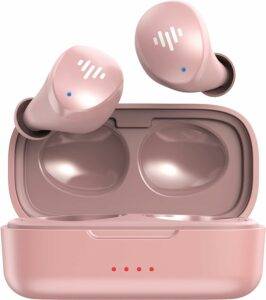
Compact and ultra-lightweight, these cordless TWS bluetooth earbuds are perfect for workouts, runs, sports and gaming. The in-ear earphones are ergonomically designed to fit snug into each ear. The earbuds also include 3 sizes (large, medium, small) of soft, flexible ear tips to ensure a comfortable and secure fit. Say goodbye to wired earphone tangles and say hello to the freedom of movement! ADVANCED HIGH QUALITY TECHNOLOGY: These true wireless earbuds employ the most advanced Bluetooth 5.0 technology to give you the best listening experience. Features included are simple and instant pairing, auto reconnection, improved connection stability and improved battery performance. The in-ear earphones also sport a sleek high quality simple design of a buttonless surface; simply double tap to control, play, pause, or answer a phone call. HIGH-FIDELITY PREMIUM STEREO SOUND: Enjoy crystal clear music with exceptional accuracy and clarity. These cordless TWS in-ear earbuds are well balanced with bass and clear treble to create a rich high-fidelity sound experience. The in-ear ergonomic earbud structure supports external noise isolation to deliver premium high quality stereo sound. ALL DAY LISTENING AND CHARGE ON THE GO: The powerful battery within these true wireless bluetooth earphones allow for all day listening. One full charge will deliver 6 hours listening time and will provide an additional 14 hours with multiple charges from the portable compact charging case. Quick charging technology enables 2 hours of listening from just 20 minutes of charge. Charging case features LED lighting to indicate battery life as well as magnetic attraction for easy earbud placement. WATERPROOF PROTECTION: These true wireless in-ear earbuds and charging case are sealed with IPX6 rated protection to endure a minimum of three minutes of powerful jets spraying at least 100 liters of water per minute without water penetrating the hardware. Be worry free from sweat, heavy rain or spilled liquid and enjoy high quality music anywhere at anytime.
Compact and ultra-lightweight, these cordless TWS bluetooth earbuds are perfect for workouts, runs, sports and gaming. The in-ear earphones are ergonomically designed to fit snug into each ear. The earbuds also include 3 sizes (large, medium, small) of soft, flexible ear tips to ensure a comfortable and secure fit. Say goodbye to wired earphone tangles and say hello to the freedom of movement! ADVANCED HIGH QUALITY TECHNOLOGY: These true wireless earbuds employ the most advanced Bluetooth 5.0 technology to give you the best listening experience. Features included are simple and instant pairing, auto reconnection, improved connection stability and improved battery performance. The in-ear earphones also sport a sleek high quality simple design of a buttonless surface; simply double tap to control, play, pause, or answer a phone call. HIGH-FIDELITY PREMIUM STEREO SOUND: Enjoy crystal clear music with exceptional accuracy and clarity. These cordless TWS in-ear earbuds are well balanced with bass and clear treble to create a rich high-fidelity sound experience. The in-ear ergonomic earbud structure supports external noise isolation to deliver premium high quality stereo sound. ALL DAY LISTENING AND CHARGE ON THE GO: The powerful battery within these true wireless bluetooth earphones allow for all day listening. One full charge will deliver 6 hours listening time and will provide an additional 14 hours with multiple charges from the portable compact charging case. Quick charging technology enables 2 hours of listening from just 20 minutes of charge. Charging case features LED lighting to indicate battery life as well as magnetic attraction for easy earbud placement. WATERPROOF PROTECTION: These true wireless in-ear earbuds and charging case are sealed with IPX6 rated protection to endure a minimum of three minutes of powerful jets spraying at least 100 liters of water per minute without water penetrating the hardware. Be worry free from sweat, heavy rain or spilled liquid and enjoy high quality music anywhere at anytime.

Key Features
|
|
|
|---|---|---|
Easy One Step Pairing
Pairing earphones shouldn’t be difficult and we made the TB100’s pairing process straightforward and effortless. Simply take the earbuds out of the compact charging case and the earbuds will automatically enter discovery mode (both earbud’s led will start blinking blue and red). Once in discovery mode, take your smartphone or tablet and identify “iLuv BBGTWS AIR” to connect with the earphones. If your earbuds are already paired to your device, they will automatically reconnect whenever it’s taken out of the charging case. | Hands-Free Call & Buttonless Controls | All Day Music On-The-Go |


|
|
|
|---|---|---|
IPX6 Waterproof Protection
The TB100 earbuds and portable charging case are both sealed with IPX6 rated protection for heavy rain and water splash resistance. This level of resistance ensures that the earbuds and charging case can endure a minimum of three minutes of powerful jets spraying at least 100 liters of water per minute without water penetrating the hardware. |
Perfect Comfortable Fit |
Latest Technology For HD Sound |


Tips & Helpful Information
|
|
|
|
|---|---|---|---|
Answer/Hang Up Calls
Simply tap twice either earbud (Left or Right) to answer or hang up calls. Please note, the tapping sensitivity is tuned to accept a wide range of tapping patterns however, the earbuds will respond more efficiently to faster and stronger taps. | Disconnected Earbuds | Charging Earbuds & Case | Wearing Earbuds |


